 Remoto
iOS App
Available on the App Store
Remoto
Your TV remote, without the ads.
A fast, native iPhone remote for Android TV, Google TV, Mi Box, Chromecast, and Nvidia Shield. No sign-in. No tracking. Never an ad.
$5.99
one-time Pro unlock
Zero ads
never, not once
~30 sec
to pair your TV
8 languages
localized throughout
Why Remoto
A real remote, minus the ads
Every other TV-remote app on the App Store is drowning in banners, interstitials, and "watch a video to unlock" prompts. Yours shouldn't be. Remoto pairs over an encrypted local connection in seconds and then gets out of your way.
Never an ad
No banners, no interstitials, no "watch a video to unlock." Just a remote that opens instantly and does its job.
Instant discovery
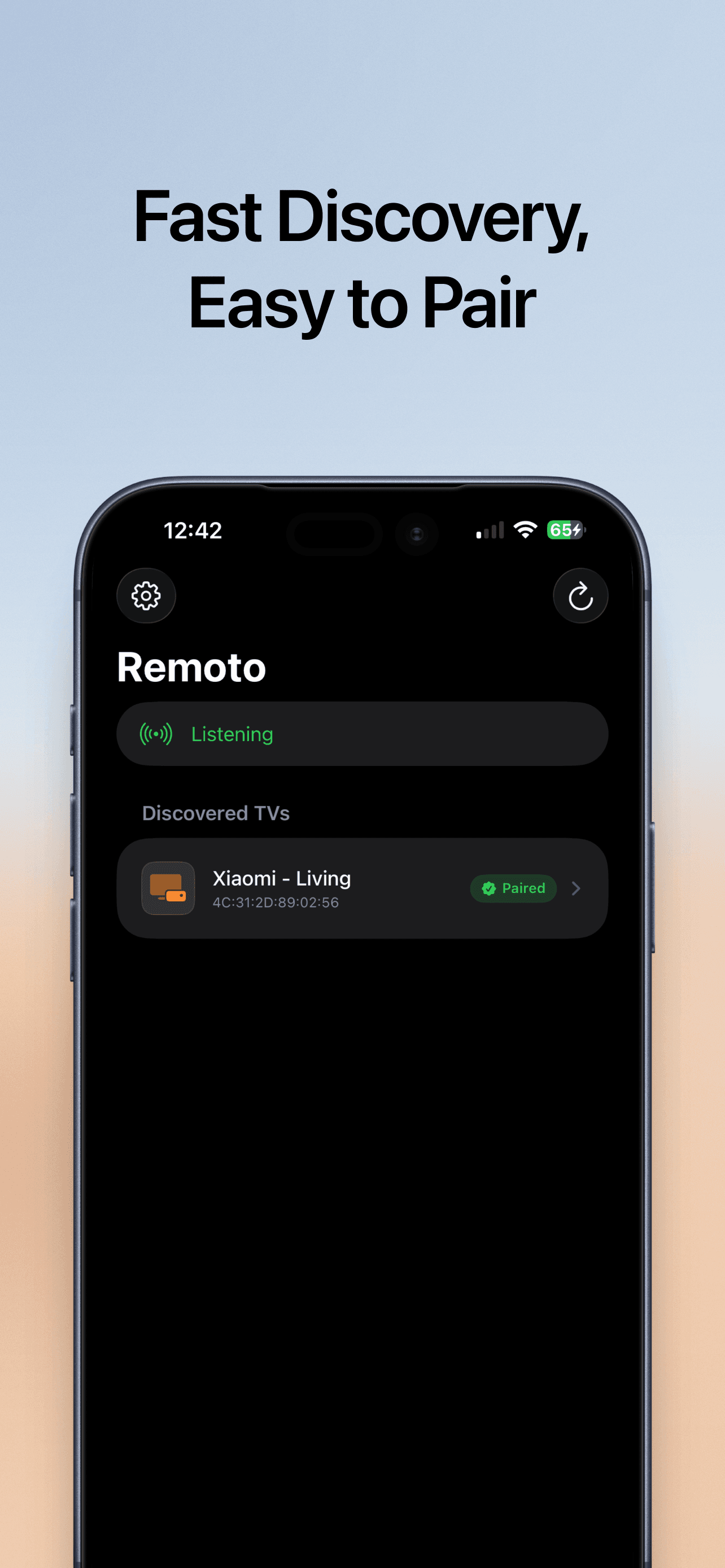
Finds every Android TV and Google TV device on your Wi-Fi automatically over Bonjour — no IP addresses to type in.
Full remote control
D-pad, OK, Back, Home, Menu, and Assistant, plus real volume and power buttons mirrored from the hardware remote.
Media & channels
Play, pause, rewind, and fast-forward, with channel up/down and a Guide button for live TV.
Haptic feedback
Every press lands with a real button feel, so you can drive the TV without looking down at your phone.
Private by design
No analytics SDKs, no account, no tracking. Commands are encrypted and sent straight to your TV — never through us.
Pricing
Free forever. Pro when you want it.
The core remote is free for good. Unlock Remoto Pro once — $5.99, no subscription, no auto-renewal. You buy it once, you own it.
Free, forever
- Instant Wi-Fi discovery of your TVs
- Full D-pad — OK, Back, Home, Menu, Assistant
- Volume and power hardware buttons
- Media transport: play, pause, rewind, fast-forward
- Channel up/down and Guide for live TV
- Haptic feedback on every press
- 8 languages with a Settings override
- One paired device
Remoto Pro
- Touchpad mode for cursor-driven TVs
- Full iOS keyboard — type on your TV instantly
- Apps grid + favourites: YouTube, Netflix, Prime Video, Disney+, Spotify, Twitch and more, one tap away
- Unlimited paired devices, switched from the top of the remote
- Home Screen & Lock Screen widgets
- Hey Siri support — "make the TV louder", "mute the TV", "confirm on the TV"
- Multi-TV smart targeting for Siri and widgets
- Priority support
Compatibility
Works with your Android TV
Remoto works with any device that runs the Android TV Remote v2 protocol, including:
- Xiaomi Mi Box S, Mi TV Stick, and Mi TV
- Google Chromecast with Google TV
- Nvidia Shield TV and Shield TV Pro
- TCL, Hisense, Philips, and Sony smart TVs on Android TV / Google TV
- Generic certified Android TV boxes (H96 / X96 with Google Play)
Setup
Paired in three steps
Open the app
Remoto scans your Wi-Fi for compatible TVs using Apple's Bonjour discovery — no permission beyond Local Network access.
Pair once
Your TV shows a 6-digit code. Type it in. Remoto generates a private certificate on your iPhone, stored in the Keychain, and pairs over mutual TLS.
Take control
Every button press flows over an encrypted TLS channel straight from your iPhone to your TV. Nothing routes through our servers — we don't have any.
Voice control · Pro
Turn it up without lifting a finger
Drop the phone, keep talking. Remoto's App Intents let Siri drive your TV — perfect for skipping pre-roll ads without leaving the couch.
Because Apple requires the app name in default phrases, Remoto ships a 30-second Set up Siri tutorial that helps you record your own. Have several TVs? Pick a Target TV in Settings — Siri and every widget honour that choice.
Gallery
See it in action
A quick look at what you'll reach for every day.
Finds your TV in seconds
Privacy
Privacy, without asterisks
Nothing leaves your phone except the encrypted remote commands sent directly to your TV. There are no servers to leak, because we don't have any.
No analytics SDKs
No telemetry, screen views, or session data.
No account
No email, no password, no cloud sync.
No tracking
Nothing is collected, sold, or shared.
Data Not Collected
That's our App Store privacy label.
Read the full Privacy Policy.
FAQ
Questions, answered
Does it work with Apple TV?
No. Apple TV uses a different, proprietary protocol. Remoto is for Android TV, Google TV, and Mi Box only.
What about Samsung, LG, Roku, or Fire TV?
No — those use different protocols. We chose to ship one thing that works perfectly rather than four that work sort of.
Do I need to be on the same Wi-Fi as my TV?
Yes. Remoto talks to your TV directly on the local network. It's local-only by design — no cellular, no VPN, and no relay server in the cloud.
Do I need a Google or Xiaomi account?
No. Discovery and pairing are handled entirely by the Android TV Remote protocol built into your device.
Will Pro become a subscription later?
No plans to. If we ever add ongoing services that cost us money to run, they'd be a separate optional add-on — the current Pro unlock stays a lifetime purchase.
What happens if I lose my iPhone?
Restore from an iCloud backup and open the app — your Pro unlock restores from the App Store, and re-pairing your TV takes about 20 seconds.
Which TV does Siri control when I have several?
Whichever you set as Target TV in Settings ▸ Voice control. Widgets follow the same setting, so a Lock Screen play/pause always hits the TV you're actually watching.
Do you support Apple Watch?
Coming in a future update. Home Screen & Lock Screen widgets and Hey Siri support already ship today.
Ditch the plastic remote.
Download Remoto and get a fast, ad-free remote for your Android TV — free to start, Pro when you want it.